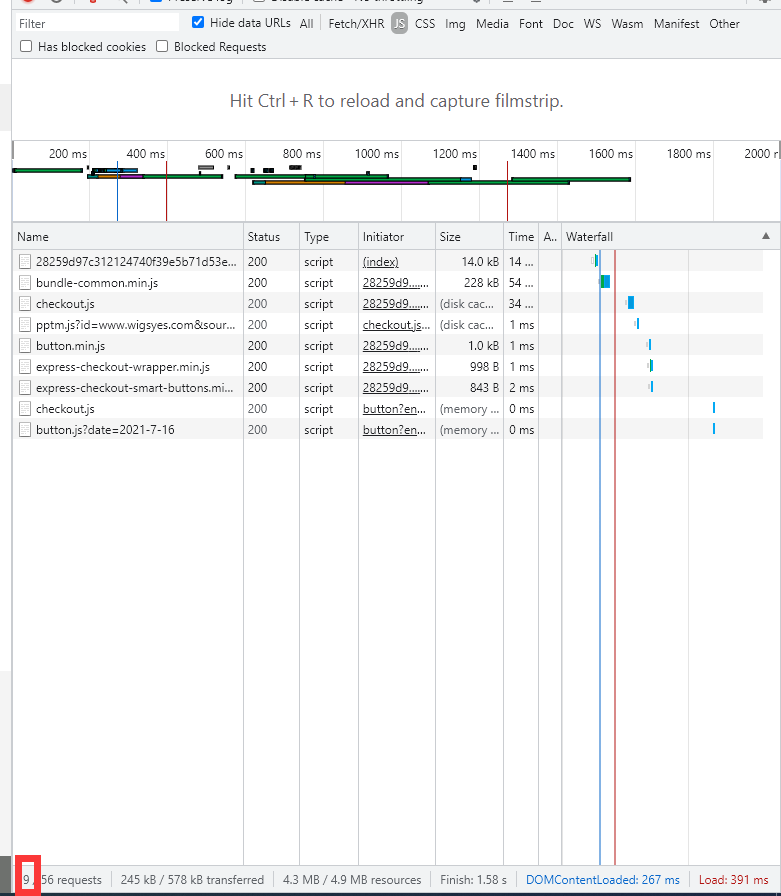
magento 2 默认首页js请求都有几百条,即使设置了合并js仍然有超过百次的js请求,因为requirejs.
安装magepack插件就可以大量减少请求。结果如下图
准备
如果是 <= 2.3.5版本 需要修改mixins.js
或者直接composer安装composer require cweagans/composer-patches
如果 <=2.3.3版本 则还需要修改core-bundle.js
方法 https://github.com/magento/baler/issues/6
>=2.3.4版本不需要补丁
步骤
以下示例环境:
centos 7.6
nginx 1.17.3
php 7.3
mysql 5.6
magento 2.3.5-p1
1.首先安装nodejs >= 10.0版本
yum安装可能安装不到最新版本可用以下方法rm -fv /etc/yum.repos.d/nodesource*curl --silent --location https://rpm.nodesource.com/setup_11.x | sudo bash -yum -y install nodejs
2.然后用npm安装magepack
npm install -g magepack --unsafe-perm=true --allow-root
3.安装magento的magepack插件
composer require creativestyle/magesuite-magepack
然后 composer update 一下
4.获取各个页面的js
magepack generate --cms-url="首页地址" --category-url="分类页地址" --product-url="产品页地址"
如:magepack generate –cms-url=”https://www.xxx.com/” –category-url=”https://www.xxx.com/category1.html” –product-url=”http://www.xxx.com/product1.html”
如果报错:
ERROR Failed to launch the browser process! 10:15:57
/usr/lib/node_modules/magepack/node_modules/puppeteer/.local-chromium/linux-722234/chrome-linux/chrome: error while loading shared libraries: libXss.so.1: cannot open shared object file: No such file or directory
直接yum安装
yum install libXScrnSaver*
yum install epel-release
5.打包js
magepack bundle
如果你的magento是生产环境模式,运行以下代码
bin/magento setup:upgradebin/magento setup:di:compilebin/magento setup:static-content:deploy en_GB --area adminhtmlbin/magento setup:static-content:deploy en_GB --area frontend --theme MY/Theme -fmagepack bundlebin/magento cache:clean
6.开启插件
php bin/magento config:set dev/js/enable_magepack_js_bundling 1
bin/magento cache:clean